
Classroom
How to pick a student at random without calling the same name twice
Paste a class list, spin, and the called student leaves the wheel. A free browser picker for one round with no repeat, no app, and no uploaded roster.
A fair cold call is a short job. One student answers, then the next question goes to someone who has not gone yet. Hands in the air tend to be the same three students. A hat full of slips works until the slips get lost. A wheel does the same job if, and only if, the name that just won cannot win the next spin.
The Classroom Name Picker is that wheel. It opens with removal already on. You do not hunt for a setting in the middle of a period. This guide is the routine around that page: the practice class, your real roster, an absent student, the last name left in the box, and the things this wheel will not do.
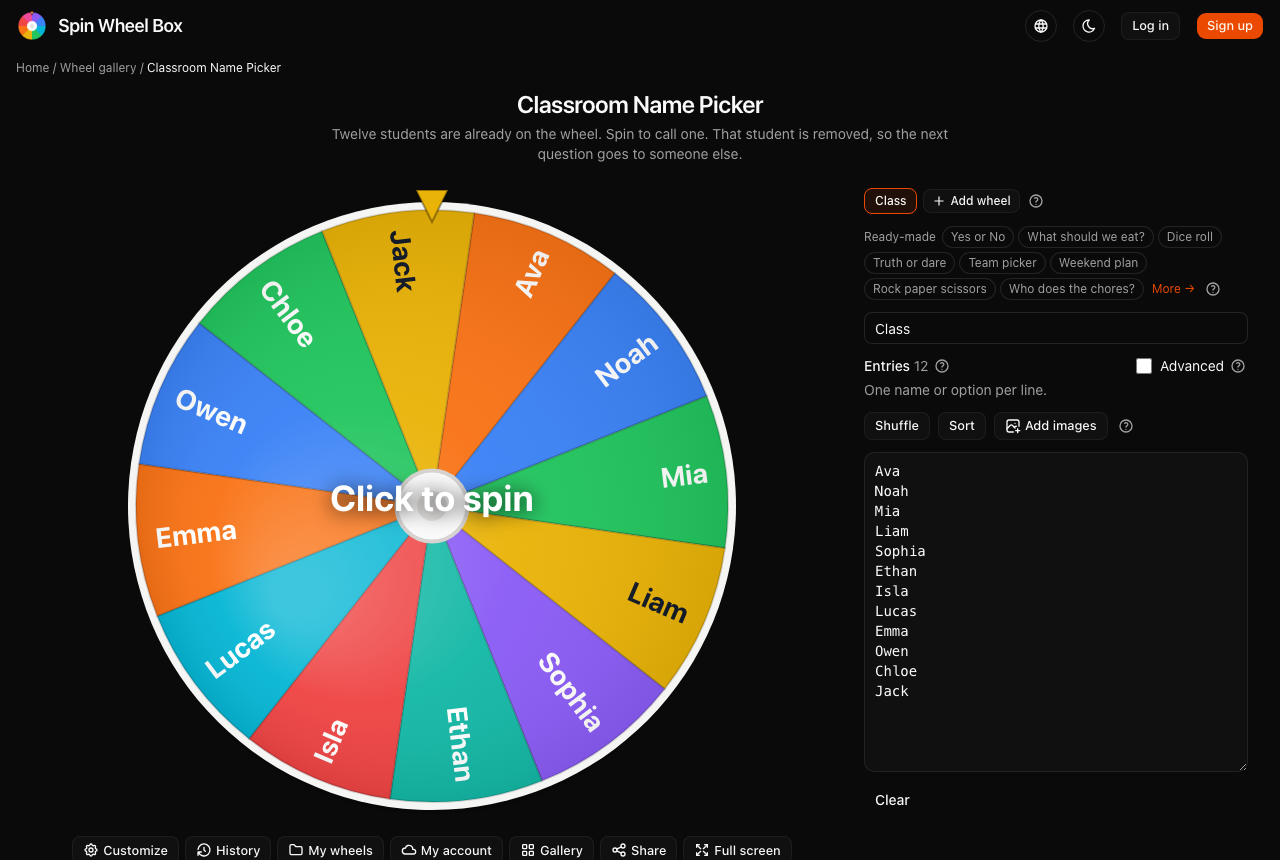
Open the Classroom Name Picker. Spin the practice class, or replace those twelve lines with your own roster.
Those twelve names are a practice class so you can learn the spin before you type anyone real. They are not your students. Replace them before a period that counts.
What the classroom wheel does
Each line in the box is one slice. While every line has the same chance, the slices are the same size. The browser picks one remaining student before the wheel starts moving. The spin is the room watching that choice land. It is not a second, secret draw.
On this page the picked name is deleted when the wheel stops. The next spin can only land on a student who is still listed. History still shows who has been called. The general Wheel of Names is the other rule: names stay until you remove one yourself. Use that when a repeat is allowed. Use the classroom page when the point of the round is to hear from someone new.
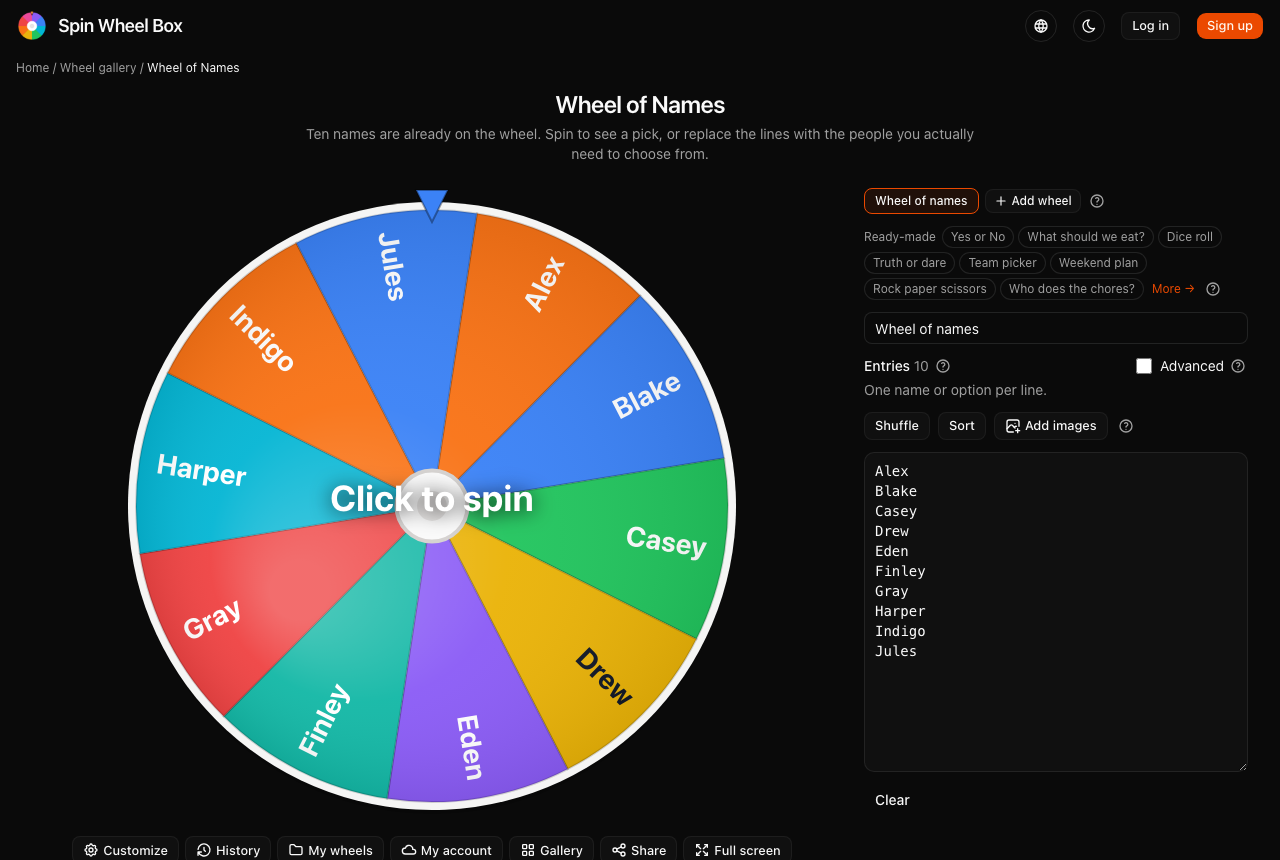
Open the Wheel of Names when the same person is allowed to come up again.
You do not install an app. You do not create an account to practice or to paste a roster. The page is free in the browser you already have, including a phone. Tap the center of the wheel to spin.
Run one round without a repeat
- Open the Classroom Name Picker. For a dry run, leave the twelve practice names. For a real period, select the box, delete those names, and paste your roster. One student per line.
- Read the Entries number above the box. It should match the number of students you meant to include. Blank lines are ignored. A line that is only spaces is ignored. A missing line is a student who cannot be called.
- Click Full screen if the class is looking at a projector or a shared screen. Full screen shows the wheel and the list, and hides the rest of the page. The draw works the same way.
- Click the wheel once. Wait until it stops. Read the name on the winner card.
- That name has already left the list. You do not press a remove button. Spin again for the next student. The Entries number drops by one each time.
- When the round is over, or when you want everyone eligible again, paste the full roster back in. This browser keeps the shorter list on purpose, so a refresh in the middle of the lesson does not put the called students back.
The people in that photo are watching the practice wheel. A real roster should be yours, typed into the box, and kept off any public page.
Here is a full period with the numbers visible. You paste 28 names. Entries says 28. The first spin calls Jordan. Jordan's line is gone and Entries says 27. History shows Jordan. You keep spinning. When one name is left, the wheel will not spin. A spin needs at least two entries. Call that last student out loud. They had the same chance as everyone else at the start. They are simply the last person still in the box.
Next period, do not trust the box blindly. It still holds whoever was left, which might be one name, or twenty if you stopped early. Paste the 28 again. Keep a copy of the roster in your own notes. This page is a good memory for the middle of a lesson and a bad memory for the start of the next one.
Absent students, hide, and the last name in the box
Three different jobs get mixed together on other wheels. On this one they are separate.
| Situation | What to do |
|---|---|
| The student was called and should not come up again this round | Leave removal on. The line is deleted when the wheel stops. |
| The student is absent, or should not be called at all today | Delete that line before the first spin. A name left in the box can be called. |
| You want them out of this spin, but back later without retyping | Turn automatic removal off, then use Hide from wheel. Unhide puts the hidden names back. |
| One name is left | The wheel will not spin. Call that student. Then paste the class again if you need another round. |
Automatic removal is the switch labeled Remove the winner from the list automatically inside Customize. This page turns it on. While it is on, the winner card does not offer Remove winner or Hide from wheel. Those buttons are for a wheel where the name stays until you act. The home page works that way until you tick the same switch yourself.
Hide is not a quieter form of delete. A hidden line stays in the box and can be restored. A deleted line is gone until you paste it. For a normal class round, delete is the right tool: the student who answered is finished, and an absent student was never in the draw. Hide is for the case where you will want the same list back intact, for example a student who stepped out for ten minutes.
If a student is anxious about being called, the wheel does not have a pass button and it cannot tell. Delete their line before you start if they should not be in the pool. If your class rule is that a called student may pass, they are already off the wheel, so the next spin is someone else. Paste them back at the end only if they still want a turn. Say that rule out loud. Do not shrink one student's slice in the middle of the round and call it random.
A fair call keeps every remaining slice the same size. The box can store a chance weight, and Advanced has a field named Chance weight. Leave it alone in class. A line like Jordan | w=2 is twice as likely as a normal line. The weight is clamped between 0.1 and 10. That tool is for a draw where extra chances are announced. It is the wrong tool for calling on students.
Who it is for
Teachers use the same motion for a few different jobs:
- Cold calling, so the question is not always answered by the first hand.
- The order for reading a paragraph aloud, or for a short presentation.
- Who goes next in a lab, a game, or a discussion.
- One classroom job for the day, drawn from the students who have not had it yet. Paste the roster again next week.
It is a picker for a list you already have. It is not a classroom name generator. It will not invent student names, character names, or a fake class. If the box is empty, nothing can be picked.
It will not split a roster into random groups or random pairs. The home page has a small template called Team picker, and that template is two slices, Team Red and Team Blue. It does not take thirty names and deal them into tables. If you need groups, this is the wrong page. Do not expect an Excel upload either. Copy one column and paste it. If you copy two columns, both columns land in the same line.
It is not a seating chart. The wheel names one student. It does not assign desks.
Two classes in one day fit in tabs. Add wheel opens another list, up to twelve, and only one wheel spins at a time. Those tabs belong to the classroom page. They do not replace the list on the home page, the raffle page, or the number wheel. Period 2 will not be waiting on a different page unless you put it there.
What you can paste
The box accepts plain text. One student per line. You can type, or you can paste a single column from a spreadsheet. There is no import button and no file upload.
When two students share a first name, add a last initial before you spin, so the room knows who was called. Two identical lines are two chances while Display duplicates stays on, which is the default. That is the right behavior for two different people only if the labels are different. If the labels match exactly, the class hears one name and has to guess. Initials fix that. Turning Display duplicates off merges matching labels into one slice and keeps the same total chance. Leave it on, and make the labels unique.
The Entries number is the count that can actually win. Check it against your roster before the first spin, not after someone complains they were skipped.
The roster stays on this computer
Opening the page does not upload the names. The list, the settings, and History for this page stay in this browser. History keeps the last 100 spins. The newest spin is at the top. The number beside a name is the order of the spins: #1 is the first student you called, even if that row has scrolled to the bottom. It is not a grade. Clear history deletes that log on this device. Closing the tab does not send the roster anywhere. Clearing this site's data in the browser deletes the list.
Share copies a link to the current list. Anyone with the link can open those names. A saved wheel that you publish to the public gallery is public too. Do not put a real roster in either place. Do not put a list of private contact details there. The practice names in the photo are safe to leave on a screen because they are not a class. Your students are not.
A phone works the same way. The list is under the wheel. There is still no app to install.
Questions teachers actually ask
Is this free to use?
Yes. You can spin the practice class, or a roster you paste, without an account, a payment, or an app.
Can I use this online in a browser?
Yes. That is the whole product. Open the classroom page, paste the names, and spin. Full screen is for the display you already have.
Is this a classroom name generator?
No. A generator invents names. This wheel only picks from lines you put in the box. An empty box cannot call on anyone.
Will it call the same student twice?
Not in the same round, while automatic removal stays on. The name is deleted. Paste the class again when everyone should be eligible once more. If you untick Remove the winner from the list automatically, the name stays and can be called again. That is the home-page rule, and it is the wrong rule for this round.
How do I randomly group or pair students?
You don't, not with this page. It picks one remaining student at a time. It does not build groups, partners, or a seating chart.
What if someone is absent?
Delete the line before the first spin. Only the names left in the box can be picked.
What if the class can see the upcoming names?
They can. The slices are on the screen, which is the point of a visible draw. Students can see who is still waiting. They cannot see which remaining name the browser will pick. If you need the choice to be secret, a wheel on a projector is the wrong tool.
Can I call one student on purpose?
The wheel only picks from lines still in the box. Delete the other lines if you want a smaller pool, or just call that student yourself. Do not pretend a one-name box was a spin. It will not spin.
Does the roster stay after I close the tab?
It stays on this device until you clear the site's data or replace the text. It is not uploaded because you opened the page.
The other two guides cover a different rule and a different list. Draw raffle winners one at a time is the same removal, used for prizes. Make a what-to-eat wheel leaves the result in the list unless you remove it, because dinner is not a class round.
The wheels in this guide:
- Classroom Name Picker removes the student who was just called.
- Wheel of Names keeps every name for the next spin.